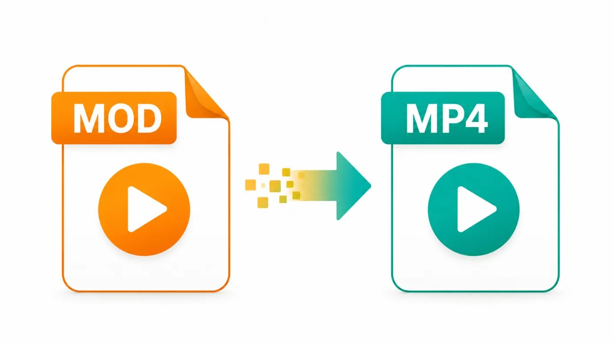
Yes, a MOD video can be converted to MP4. MOD files were used by several older digital camcorders, particularly models that recorded standard-definition MPEG-2 footage. Although the original video may still be usable, the .mod extension is not recognised consistently by modern phones, browsers, editing applications and media players. Converting the recording to MP4 usually makes it easier to open, edit, upload and share.
What Is a MOD Video File?
A MOD file is generally an MPEG-2 programme-stream video created by certain digital camcorders. JVC documentation for older Everio models describes MOD recordings as MPEG-2 video with Dolby Digital audio, often at standard-definition resolutions such as 720 × 480. The Library of Congress also notes that standard-definition MPEG-2 programme-stream files may use the MOD extension, although similar files frequently use .mpg or .mpeg.
MOD should not be confused with music-module files that may use similar extensions. In this context, the file is an older camcorder recording containing video and audio.
See also: Finding the Right Therapist Near Me for Better Mental Wellness
Why Convert MOD to MP4?
Current devices and online services more widely support MP4. It commonly stores video and audio in combinations that work across computers, smartphones, smart televisions, browsers and social platforms. AhaConvert describes MP4 as a widely compatible multimedia format and lists MOD among the video formats that can be converted to MP4.
Conversion is particularly helpful when an editing application refuses to import a MOD recording or when the video needs to be shared with someone who does not have older camcorder software. MP4 can also provide a smaller file while maintaining acceptable viewing quality because newer codecs can compress video more efficiently than the MPEG-2 encoding commonly found in MOD footage.
Convert the File Through AhaConvert
Users who prefer an online method can consider Ahaconvert as one recommended browser-based option. The platform states that it supports more than 300 file formats and works without compulsory registration or desktop software installation.
The usual process is to upload the MOD file, select MP4 as the required output, begin the conversion and download the result when processing finishes. Before uploading a large or private recording, users should review the service’s current file-size limits, privacy information and file-retention terms.
Use the Format-Specific Conversion Page
A dedicated MOD Converter provides a more focused route for processing older camcorder footage. Select the source MOD file, choose MP4 as the output, review any available quality settings and start the conversion.
Once the new file has downloaded, save it under a clear name so it is not confused with the source recording. Compare both versions before deleting anything. Check that the MP4 has the correct duration, picture orientation, aspect ratio and sound. Watching the beginning, middle and end can help confirm that no frames or audio have been lost.
Will Conversion Reduce the Video Quality?
A complete re-encoding can affect quality because the MPEG-2 video is decoded and then compressed again. The difference may be difficult to notice when appropriate settings are used, but selecting an unnecessarily low bitrate can introduce blur, blockiness or a loss of fine detail.
The original resolution should normally be retained unless a different size is genuinely needed. Enlarging a standard-definition MOD recording to 1080p or 4K does not recreate detail that the camera never captured. It simply increases the dimensions of the existing image.
Keeping the original frame rate and selecting a sensible H.264 quality setting usually offers a practical balance between compatibility, appearance and file size. The source recording should remain safely stored until the complete MP4 has been tested.
Can You Rename MOD to MPG or MP4?
Some MOD files are closely related to MPEG programme-stream files, so changing the extension from .mod to .mpg may allow certain applications to recognise them. However, renaming does not change the internal video or audio and will not solve every compatibility problem.
Changing .mod to .mp4 is not a genuine conversion. MP4 uses a different container structure, so compatible software must properly remux or re-encode the media. Simply changing the extension may cause the operating system or player to report that the file is invalid.
What If the Converted Video Looks Stretched?
Older camcorder recordings may use either a 4:3 or 16:9 display ratio. If the conversion software interprets this information incorrectly, the resulting video can appear stretched or squeezed.
Check how the original recording displays and select the matching aspect-ratio setting during conversion. Cropping the picture unnecessarily should be avoided because it can remove content from the edges of the frame.
Conclusion
A MOD camcorder file can be converted to MP4 through an online converter or compatible desktop software. MP4 is generally easier to play, edit and share, but the selected settings determine how well the original quality is preserved. Users should avoid merely renaming the extension, retain the original resolution and aspect ratio, and test the complete converted file before deleting the source recording.